⚡ Quick Answer (Read This First)
Is the K55 mechanical?
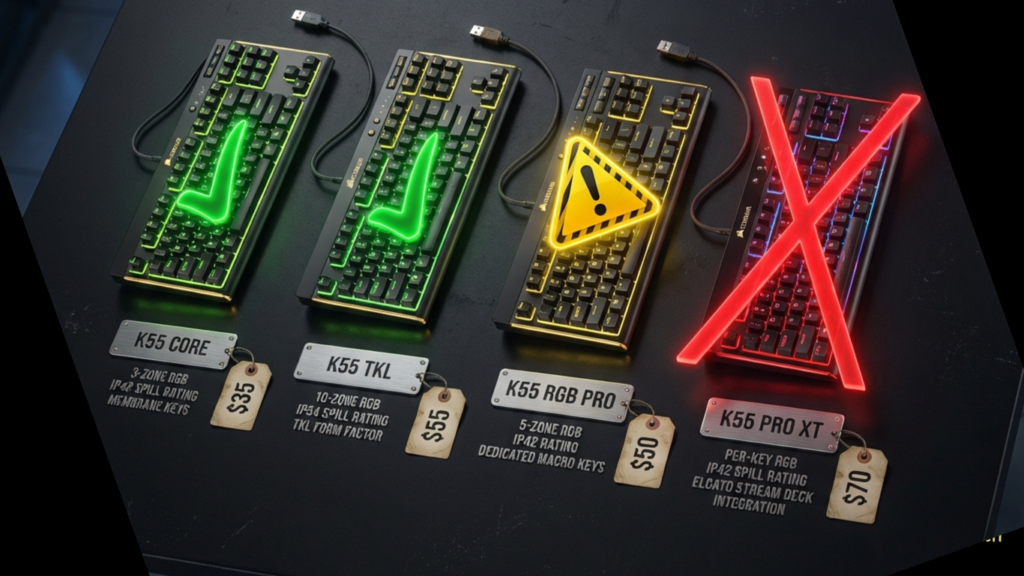
NO. All K55 models use rubber dome membrane switches, not mechanical.
Which K55 should I buy?
| Model | Price | Verdict | Why? |
|---|---|---|---|
| K55 CORE | $35-40 | ✅ Buy This | Best value, 10-zone RGB, no G-keys (cleaner layout), 300ml spill resistance |
| K55 CORE TKL | $35-45 | ✅ Space Saver | Same as CORE, just smaller (no numpad) |
| K55 RGB PRO | $50-60 | ⚠️ Streamers Only | Adds 6 G-keys for macros but causes muscle memory hell |
| K55 PRO XT | $70+ | ❌ RIP-OFF | $70 for membrane? Buy real mechanical instead (Keychron C3 Pro $35) |
Main issue: 4% of buyers report key chatter after 6-12 months (Amazon data: 504 of 12,608 reviews).
Jump to: Model Details | Fix Shortcuts | Troubleshooting | FAQ
🎮 Every K55 Model Explained
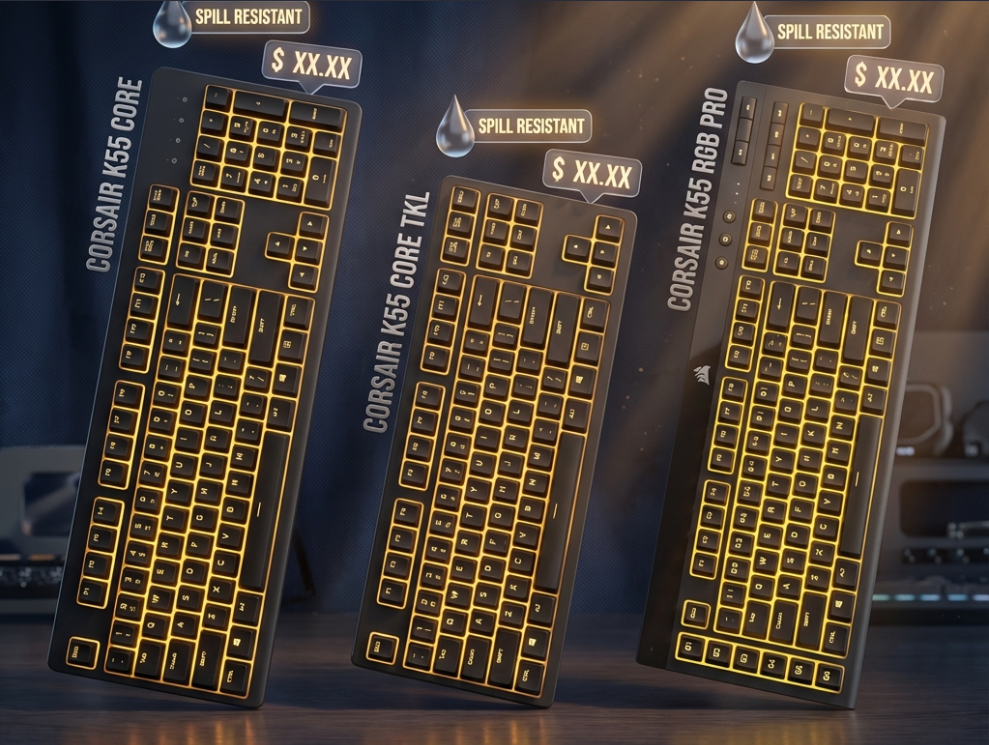
Corsair sells 3 different K55 keyboards:
| Model | Size | RGB Zones | G-Keys | Spill Rating | Price | Best For |
|---|---|---|---|---|---|---|
| K55 CORE | Full-size | 10-zone | NO | 300ml | $40-50 | Most people |
| K55 CORE TKL | Tenkeyless | 8-zone | NO | 300ml | $35-45 | Small desks |
| K55 RGB PRO | Full-size | 5-zone | YES (6) | IP42 | $50-60 | Streamers with macros |
K55 CORE (Recommended – 12,608 Amazon reviews, 4.5★)
What you get:
- Full-size layout with numpad
- 10 RGB zones (more control than PRO)
- NO macro G-keys (cleaner, no muscle memory issues)
- 300ml spill resistance (better than PRO’s IP42)
Who it’s for:
- Budget gamers ($40 price point)
- Quiet shared spaces (70% quieter than mechanical)
- Casual users (1-2 hrs/day gaming)
What Amazon buyers say:
“For 40 bucks, I really doubt you’ll do better than this.” — jesse (Dec 2024, 5★)
K55 CORE TKL (44 reviews, 4.5★)
Same as CORE but:
- Removes numpad (saves 4 inches desk space)
- 8 RGB zones instead of 10
- Best for FPS gamers who need mouse room
CRITICAL ISSUE:
12-key rollover is selective. Only “FPS keys” (WASD, QE, Shift, Space, Ctrl) work together. If you play games requiring complex key combos outside FPS layout (like Celeste speedruns), inputs will drop.
K55 RGB PRO (Mixed reviews)
Adds:
- 6 programmable G-keys (left side)
- Compatible with Elgato Stream Deck
WARNING – G-Key Muscle Memory Hell:
Amazon Viperious (Nov 2025, 1★):
“The extra keys on the far left took me MONTHS to get used to. I kept hitting G1 instead of ESC, G6 instead of CTRL. DO NOT BUY THIS unless you NEED the G-keys.”
Reality: If switching from standard keyboard, budget 2-4 weeks to retrain muscle memory.
🚨 Top 3 Complaints (What 4% of Buyers Hate)
#1: G-Key Muscle Memory (RGB PRO Only)
The Problem: Extra column of keys on left side messes up ESC/TAB/CTRL/Shift muscle memory.
Who it affects: Anyone switching from standard keyboard layout.
Solution: Buy K55 CORE instead (no G-keys).
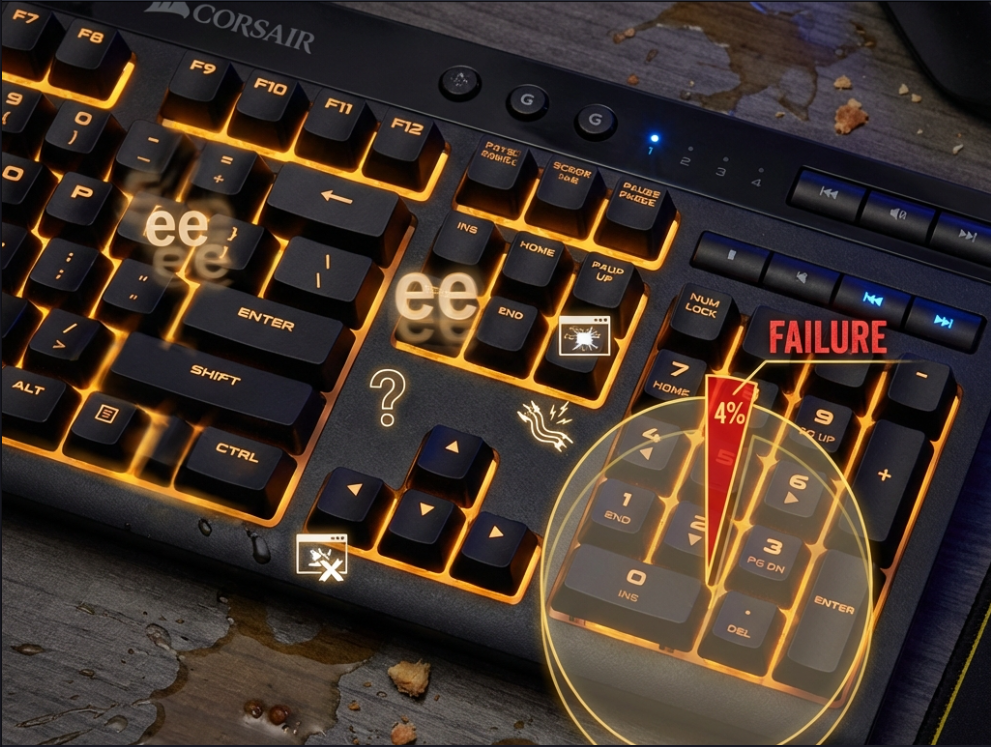
#2: Key Chatter (4% Failure Rate)
What happens: Keys double-type (‘e’ becomes ‘ee’). Common with E, S, W, D, space.
Failure rate:
- K55 CORE: ~4% (504 of 12,608 reviews)
- K70 Core: 10-14% (worse – don’t buy K70 Core as “upgrade”)
Timeline: 6-12 months for affected units (heavy gaming)
Fix: RMA under warranty (70% success rate). No software fix exists.
#3: iCUE Software Bugs
Issue: Lights freeze, macros erase randomly, detection failures.
Root cause: iCUE consumes 500MB+ RAM, crashes on budget PCs.
Solution: Use hardware shortcuts instead (see below).
⌨️ FN Shortcut Guide (Skip iCUE Entirely)
🚨 CRITICAL: Close iCUE First
Hardware shortcuts DISABLE automatically if iCUE runs in background.
To use FN shortcuts:
- Right-click iCUE icon in taskbar
- Click “Quit” (not Minimize)
- Now FN shortcuts will work
K55 CORE Shortcuts
Lighting:
FN + 1: Rainbow waveFN + 2: Color shiftFN + 5: Cycle static colors (Red → Green → Blue → Yellow → Purple → White)FN + 12: Reset to default
Brightness:
FN + F5: Dim lightsFN + F6: Brighten lights
K55 RGB PRO Shortcuts (Older Model)
FN + 7: All lights OFFFN + 8: Whole keyboard one solid colorFN + 9: Breathe effectFN + 0: Rainbow waveFN + F1/F2/F3: Control zone 1/2/3 colors
🔧 Troubleshooting (Top 5 Problems)
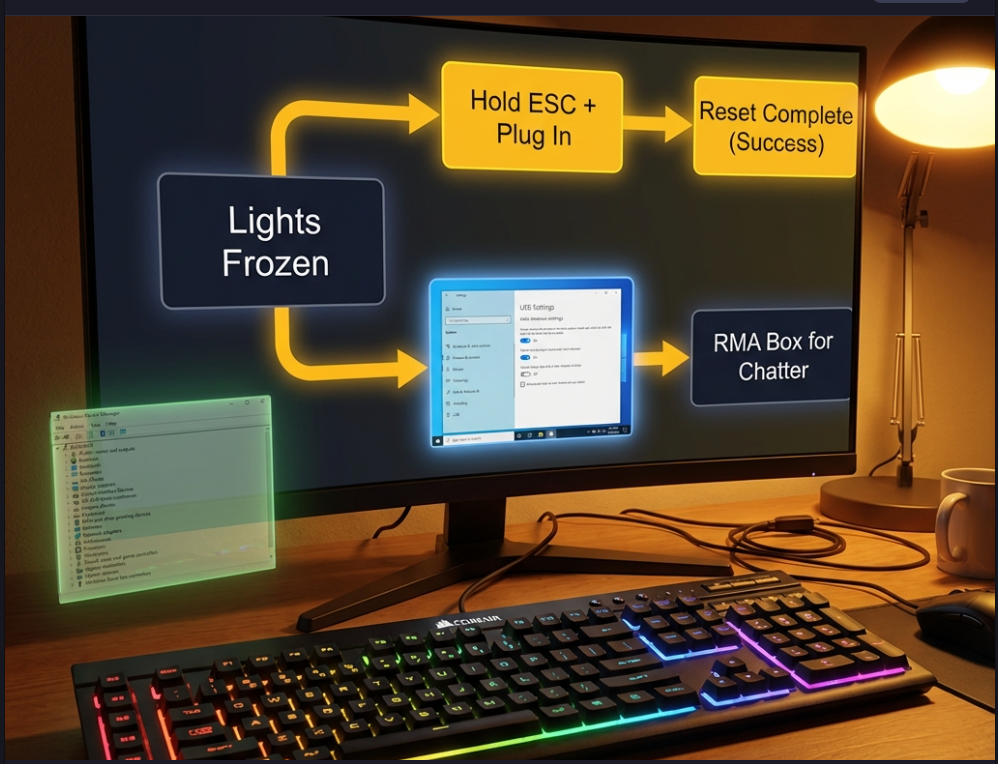
Problem 1: Lights Not Working / Frozen
Symptoms: Keyboard types but no RGB, or lights stuck on rainbow.
Fixes (try in order):
A. Panic Reset:
- Unplug keyboard
- Hold ESC key
- Plug back in while holding ESC
- Wait 5 seconds until lights flash
- Release
B. Disable USB Power Saving:
- Device Manager → Universal Serial Bus controllers
- Right-click each “USB Root Hub” → Properties
- Power Management → Uncheck “Allow computer to turn off this device”
- Restart PC
C. Fresh iCUE Install:
- Uninstall iCUE completely
- Restart PC
- Download fresh from Corsair.com
- Choose “Fresh Install” not “Upgrade”
Problem 2: Keyboard Disconnecting Randomly
Cause: K55 draws more power than standard keyboards (RGB). Cheap USB ports can’t handle it.
Fix:
- Plug into back-panel USB 3.0 (blue port)
- Control Panel → Power Options → USB selective suspend → Disabled
- Last resort: Buy powered USB 3.0 hub ($15-20)
Problem 3: Key Chatter (Double-Typing)
Symptoms: Press ‘e’ once, types ‘ee’.
Failure rate: 4% (504 of 12,608 buyers)
Timeline: 6-12 months with heavy use (4+ hrs/day gaming)
Fix: No software fix. RMA under 2-year Corsair warranty. At $40-50, replacement is cheaper than repair.
Problem 4: Shortcuts Not Working
Cause: iCUE running in background disables hardware shortcuts.
Fix: Quit iCUE completely (right-click taskbar icon → Quit).
Problem 5: Spill Damage
The Lie: “300ml spill-proof” rating.
The Truth:
- ✅ Survives water spills (unplug immediately, flip upside-down 24 hours)
- ❌ Sugar/soda spills = permanent sticky membrane (sugar dries inside rubber domes)
Reality: You cannot pull switches out to clean like mechanical keyboards. Membrane boards require full disassembly. Most people just replace the keyboard.
FAQ
Is the Corsair K55 mechanical?
No. All K55 variants use rubber dome membrane switches.
What’s the difference between K55 CORE and RGB PRO?
CORE: 10 RGB zones, NO G-keys, 300ml spill resistance
RGB PRO: 5 RGB zones, YES 6 G-keys, IP42 spill resistance
CORE has better lighting AND better spill protection. Only buy PRO if you need G-keys for streaming macros.
How do I fix K55 lights not working?
Quit iCUE completely (right-click taskbar → Quit)
Unplug keyboard
Hold ESC, plug back in, wait 5 seconds
If still broken, reinstall iCUE fresh
Can I use K55 on PS4/Xbox?
Yes for basic typing/gaming. No for RGB control or G-key macros. Set hardware color mode (FN+5) before connecting.
How long does K55 last?
Casual users (1-2 hrs/day): 4-5 years
Heavy gamers (4+ hrs/day): 1-2 years before 4% chatter risk
96% of buyers never experience chatter
Should I buy K55 PRO XT for $70?
NO. For $70, buy a real mechanical keyboard:
Keychron V6 ($75) – Hot-swap, QMK/VIA, gasket mount
Keychron V3 ($65) – TKL, same quality
RK Royal Kludge RK84 ($60) – Wireless, hot-swap
K55 PRO XT is a $40 membrane keyboard with $70 price tag.
Q: K55 vs mechanical keyboard – which to buy?
A:
| Factor | K55 CORE | Keychron C3 Pro (Mech) |
|---|---|---|
| Price | $40 | $35 |
| Switches | Membrane | Mechanical (Red/Brown) |
| Noise | Very quiet | Moderate |
| Feel | Mushy | Tactile/clicky |
| Lifespan | 1-4 years | 5-10 years |
Recommendation: If you can spend $35-40, buy Keychron C3 Pro or Redragon K552 (mechanical). Only buy K55 if you NEED quiet membrane for shared space.
🎯 Final Verdict
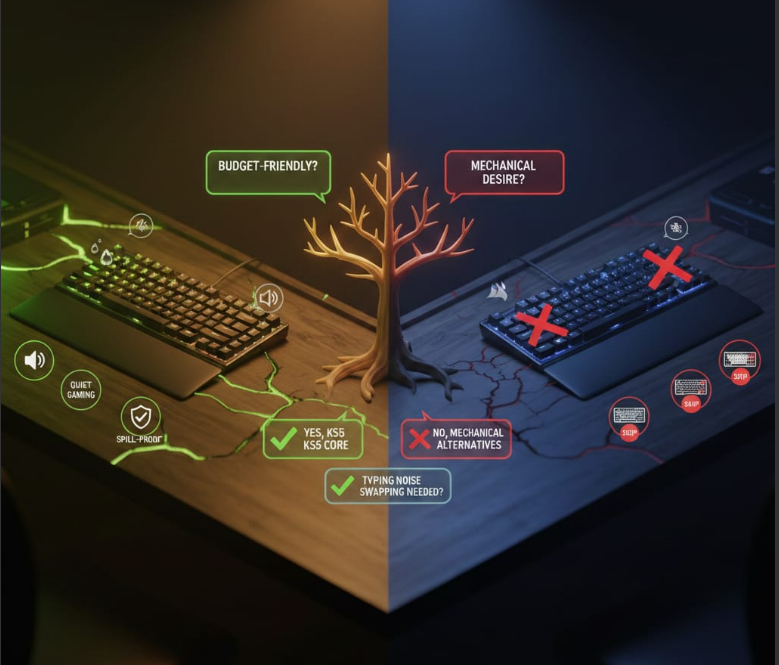
Buy K55 CORE if:
✅ Budget under $50
✅ Need quiet keyboard (shared space, streaming mic)
✅ Casual gaming (1-2 hrs/day)
✅ Want spill resistance (water only, not soda)
Skip K55 if:
❌ You think “gaming keyboard” = mechanical (it’s not)
❌ You want per-key RGB (K55 only has zone lighting)
❌ You’re heavy gamer (4+ hrs/day = 4% chatter risk)
❌ You can spend $40-50 on real mechanical (Keychron/Redragon)
The Honest Recommendation
At $35-40 (sales): Best membrane value. Buy it.
At $50-60: Eh. Mechanical alternatives exist.
At $70+ (PRO XT): RIP-OFF. Don’t buy.
Legal Disclaimer:
This article aggregates user-reported issues and publicly available information about the Corsair K55 Keyboard. The content is provided for informational purposes only and does not represent the views or official stance of Corsair or any retailer. We do not claim that the described defects or failures affect all units, nor do we guarantee the accuracy of individual user reports. Readers should verify information independently and consult the manufacturer or authorized service providers for official guidance. This site is not liable for any decisions made based on the content provided herein.