Is the Apple Wireless Magic Keyboard 2 Worth Buying in 2025?
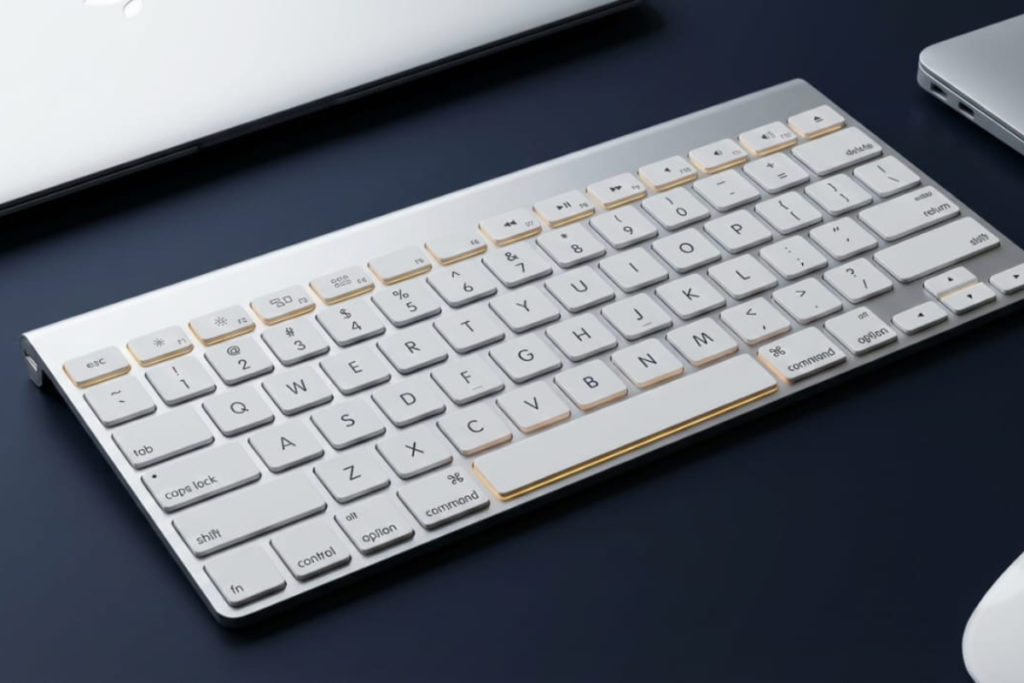
Short answer: Yes, but only for specific users. The Apple Wireless Magic Keyboard 2 (also called Apple Magic Wireless Keyboard 2 or model A1644 MLA22LL/A) remains a solid Mac-only keyboard with 1-3 month battery life and premium aluminum build. However, its lack of backlighting and flat ergonomics make it unsuitable for low-light typing or all-day use.
At $40-50 refurbished, it’s worth it if you already like Apple’s low-profile MacBook keyboards; if you prefer mechanical or backlit keyboards, it likely won’t satisfy.
Quick Decision
✅ Buy if: Mac-only, daylight typing, like laptop keyboards, under $50
❌ Skip if: Need backlight, multi-device, Windows primary, type 8+ hours/day
For backlit wireless keyboards, see our Logitech K800 illuminated review or Logitech K750 solar keyboard.
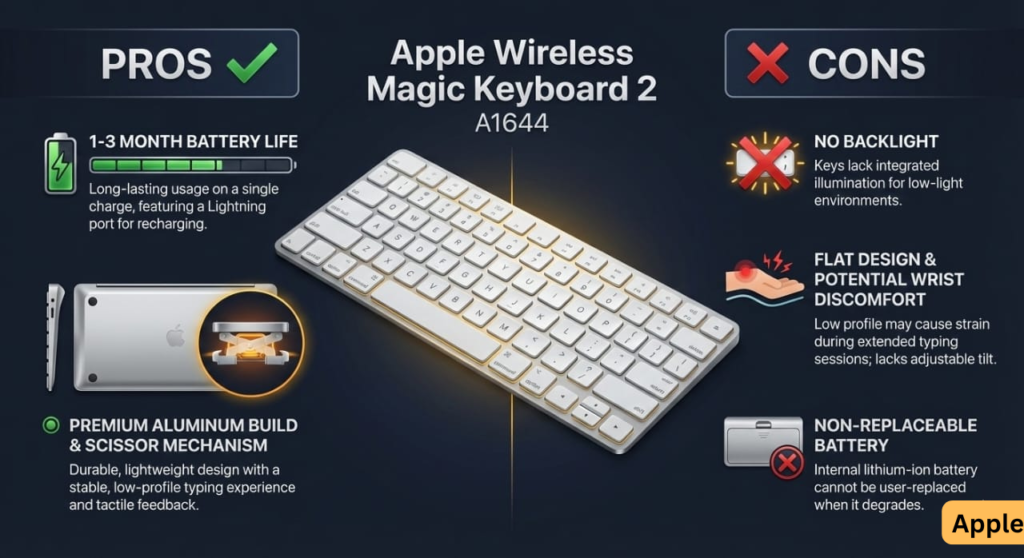
Apple Wireless Magic Keyboard 2 Pros & Cons at a Glance
| ✅ Pros | ❌ Cons |
|---|---|
| 1-3 month battery life | ❌ No backlighting |
| Premium aluminum build | Flat design (wrist pain risk) |
| Seamless Mac pairing (M1/M2/M3/M4) | No multi-device quick-switch |
| Improved scissor switches | Non-replaceable battery |
| Quiet, stable typing | Refurbished quality varies |
| Works with macOS Sequoia/Sonoma | Lightning port (not USB-C) |
Overall Rating: 4.5/5 (based on 1,735+ Amazon reviews)
How This Apple Wireless Magic Keyboard 2 Review Was Created
This Apple Wireless Magic Keyboard 2 review synthesizes verified Amazon customer reviews, Apple Support community discussions, and Reddit user experiences to identify consistent patterns in battery performance, typing comfort, and common issues.
Transparency: This review aggregates real-world feedback rather than isolated opinions. No sponsorship or free products were received. If you already like Apple’s low-profile MacBook keyboards, this will feel instantly familiar; if you prefer mechanical or backlit keyboards, it likely won’t.
For mechanical alternatives, see our Evoworks Evo80 hot-swappable review or ZH870 keyboard review.
Apple Wireless Magic Keyboard 2 vs. Logitech MX Keys Mini (2025)
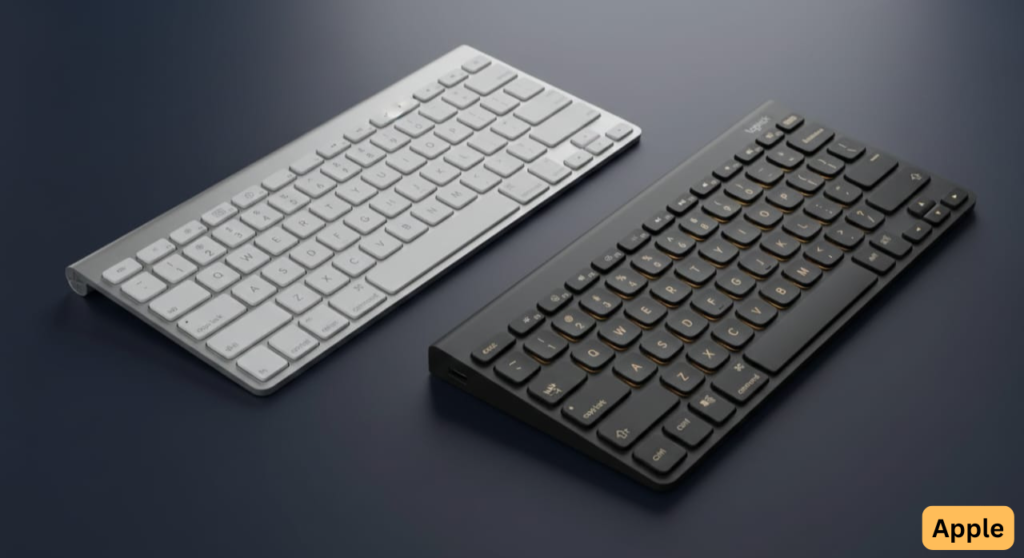
Most buyers compare these two options. Here’s the honest breakdown:
| Feature | Apple Magic Keyboard 2 | Logitech MX Keys Mini |
|---|---|---|
| Price (Refurb/New) | $40-60 / Discontinued | $99 |
| Backlighting | ❌ None | ✅ Auto-adjusting |
| Multi-Device | ❌ No | ✅ 3 devices (Easy-Switch) |
| Build Material | Aluminum | Plastic (premium feel) |
| Battery Life | 1-3 months | Up to 10 days (backlight on) |
| Charging | Lightning | USB-C |
| Best For | Mac-only ecosystems | Multi-device setups |
| macOS Support | ✅ M1/M2/M3/M4 Macs | ✅ Full support |
Verdict: Choose Apple Magic Wireless Keyboard 2 if you’re 100% Mac, never type in dark, and want longest battery. Choose MX Keys Mini if backlighting or multi-device switching matters.
For more Mac-compatible keyboards, see our Logitech K350 wireless wave review or Cherry KW X ULP ultra slim.
Apple Wireless Magic Keyboard 2 Key Specifications
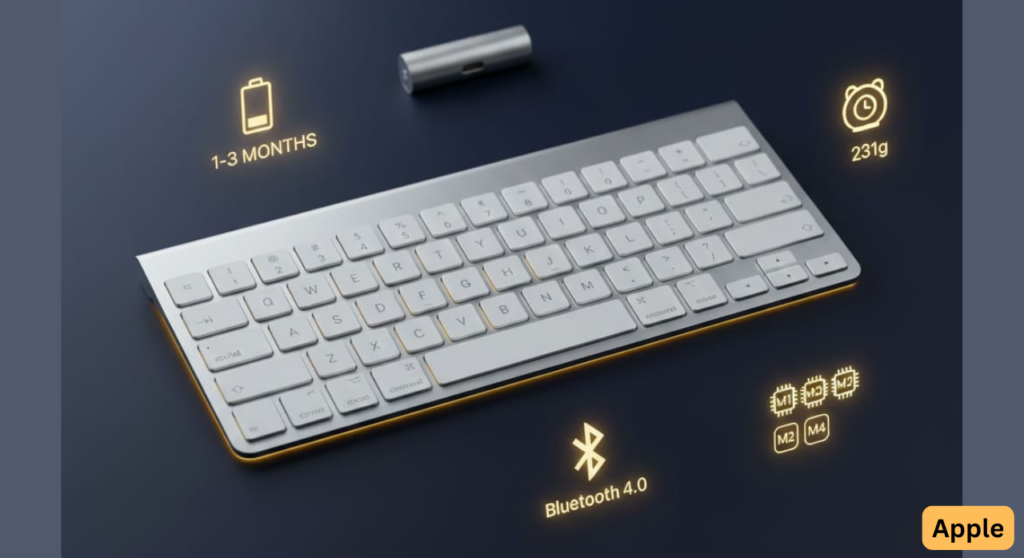
| Specification | Details |
|---|---|
| Model | A1644 (MLA22LL/A for US Silver) |
| Release | October 2015 |
| Battery | Rechargeable lithium-ion, 1-3 months per charge |
| Charging | Lightning port (back edge, usable while charging) |
| Weight | 231g |
| Switches | Scissor mechanism, ~1mm travel |
| Connectivity | Bluetooth 4.0 |
| Compatibility | macOS 10.11+, iOS 9.1+, iPadOS, Windows (limited) |
| Works With | M1, M2, M3, M4 Macs; macOS Sequoia/Sonoma |
| Discontinued | Yes (replaced by USB-C models) |
Apple Wireless Magic Keyboard 2 vs. Magic Keyboard 3 (USB-C)
| Feature | Magic Keyboard 2 (A1644) | Magic Keyboard 3 (2021+) |
|---|---|---|
| Charging Port | Lightning | USB-C |
| Touch ID | ❌ No | ✅ Optional ($199 model) |
| Price (New) | Discontinued | $149 ($199 w/ Touch ID) |
| Price (Refurb) | $40-60 | $100-120 |
| Key Feel | Precise scissor | Similar (slightly clickier) |
| Worth It? | Yes if under $50 | Yes for Touch ID/USB-C needs |
Verdict: If you need Touch ID or USB-C, upgrade to Magic Keyboard 3. Otherwise, save $100+ with refurbished Apple Wireless Magic Keyboard 2.
How Long Does the Apple Magic Keyboard 2 Battery Last?
Real-World Battery Life
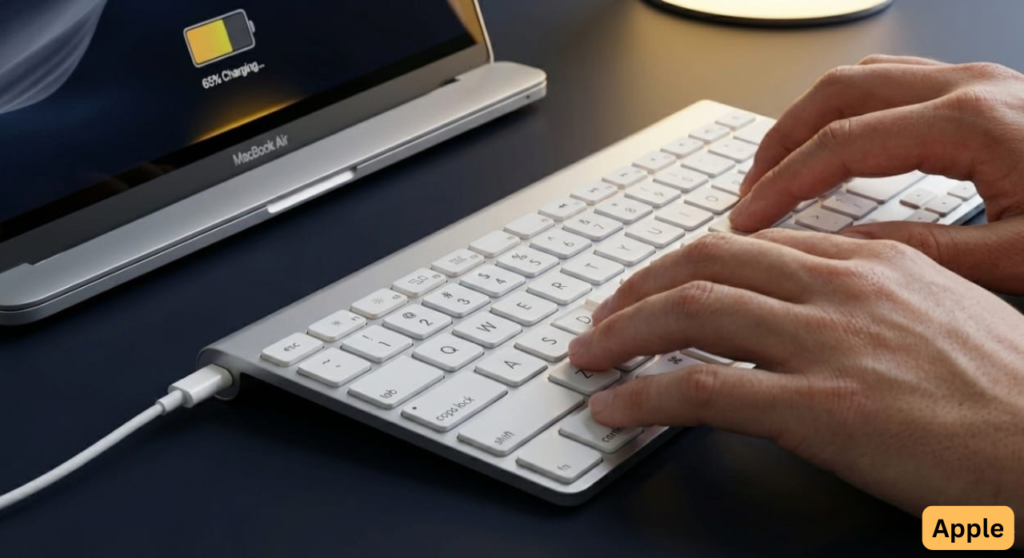
Most users report 1-3 months per charge under normal use (8 hours/day). Amazon reviewer “amandabeau” received hers at 65% charge and reported:
“Battery life is incredible. Charge maybe 3-4x per year.”
Compatibility: Works seamlessly with M1, M2, M3, and M4 Macs running macOS Sonoma or Sequoia.
Why Does My Apple Magic Keyboard 2 Battery Drain Quickly?
Some users experience rapid drain (3-5 days). Common causes:
- Stuck keys (especially Space bar) sending continuous input
- Sleep mode malfunction
- Battery degradation (units over 4 years old)
Fix: Check for stuck keys, update macOS, unpair/repair keyboard.
Can I Replace the Apple Wireless Magic Keyboard 2 Battery?
Apple does not offer battery replacement service. Third-party batteries cost $15-25 but require disassembly with risk of breaking plastic clips. Expect the keyboard to last several years before battery replacement becomes necessary.
For keyboards with replaceable batteries, see our Logitech K350 wireless keyboard review.
Apple Wireless Magic Keyboard 2 Typing Experience: Fast & Precise
Typing Speed Improvements
Amazon reviewer “fbhc” documented a 35 WPM increase:
“My typing speed increased to about 115WPM from around 85WPM. The response of the keys is phenomenal.”
Scissor Switches vs. Butterfly
The Apple Wireless Magic Keyboard 2 uses redesigned scissor switches, which users vastly prefer over Apple’s failed butterfly mechanisms.
Who Loves It vs. Who Hates It
Fans:
- MacBook users accustomed to low-profile typing
- Writers seeking quiet keystrokes
Critics:
- Mechanical keyboard enthusiasts wanting tactile feedback
- Users needing deeper key travel
For mechanical alternatives, compare our Corsair K65 compact mechanical or Corsair K95 full-size gaming reviews.
Why Doesn’t the Apple Magic Keyboard 2 Have Backlighting?
The #1 Complaint: No Backlight
User forums universally cite no backlighting as the biggest flaw. MacRumors discussions show strong consensus:
“Unacceptable omission given the price point.”
Who This Affects
❌ Night writers and editors
❌ Office workers in low-light environments
❌ Content creators in dark studios
Apple’s Rationale: Never officially explained, though some speculate it preserves battery life or key feel.
Backlit alternatives: Logitech K800 illuminated keyboard ($60) or Logitech G213 RGB gaming ($40).
Is the Apple Wireless Magic Keyboard 2 Compatible With macOS Sequoia and Apple Silicon?
Mac Compatibility
Yes. Works flawlessly with:
✅ M1, M2, M3, M4 Macs
✅ macOS Sequoia, Sonoma, Ventura and older versions (10.11+)
✅ iPads running iPadOS 9.1+
Pairs automatically via Lightning cable. Function keys (brightness, volume, playback) work natively.
Does the Apple Magic Keyboard 2 Work With Windows?
Yes, but with limitations. Function keys and Fn button don’t map correctly without Boot Camp drivers.
Bottom Line: Buy only if Mac is your primary system.
For Windows-optimized keyboards, see our Corsair K55 RGB review or Corsair K100 flagship.
Is Buying a Refurbished Apple Wireless Magic Keyboard 2 Safe?
Success vs. Failure Rates
Based on Amazon Renewed customer reviews:
✅ Strong majority report excellent condition (“mint,” “like-new”)
⚠️ Small but notable minority report defects (dead batteries, stuck keys, missing letters)
Real Customer Experiences
✅ Success Story:
“Mint condition refurb. Looks brand new, zero wear. Pairs seamlessly.”
— Ogi Milosevic, January 2025
❌ Disaster Story:
“The keyboard was filthy… glitter, gunk, and hair between keys.”
— Rita, July 2018 (with photos)
Apple Wireless Magic Keyboard 2 Refurbished Buying Checklist
☐ Inspect all keys within 24 hours
☐ Test Space bar for sticking
☐ Verify serial number matches packaging
☐ Check battery lasts days (not hours)
☐ Confirm no debris between keys
☐ Use Amazon’s 90-day return policy if defective
Apple Wireless Magic Keyboard 2 Common Problems & How to Fix Them
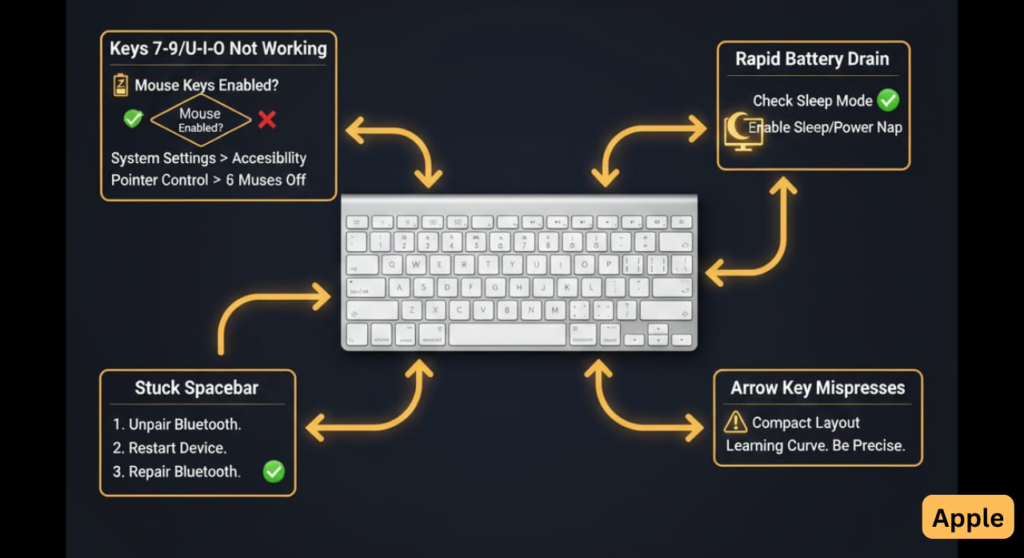
Why Are Some Keys Not Working on My Apple Magic Keyboard 2?
Symptom: Keys 7, 8, 9, U, I, O, J, K, L stop typing
Cause: macOS “Mouse Keys” accessibility feature accidentally enabled
Fix: System Settings → Accessibility → Pointer Control → Disable “Enable Mouse Keys”
This is the most common false hardware failure reported in support forums.
Arrow Key Layout Issues
Programmers report the full-height Left/Right arrow keys (instead of traditional “inverted-T”) cause frequent mis-presses during code navigation.
Does Ergonomics Cause Wrist Pain?
The Flat Design Problem:
The Apple Wireless Magic Keyboard 2 has no adjustable tilt, forcing wrist extension during typing.
User Reports:
⚠️ Some users experience wrist strain or finger pain after extended use due to the flat profile and shallow key travel.
Solutions:
- Use ergonomic wrist rest
- Adjust desk height for 90° arm angle
- Consider keyboard tray for negative tilt
Important: Ergonomics are highly individual—some users report the flat profile reduces pain compared to tented keyboards.
For ergonomic alternatives, see our Logitech K350 wave keyboard review.
Apple Wireless Magic Keyboard 2 Current Pricing & Where to Buy (2025)
| Source | Price | Condition |
|---|---|---|
| Apple | Discontinued | – |
| Amazon Renewed | $40-60 | Refurbished |
| eBay/Marketplace | $30-50 | Used |
| Third-party sellers | $80-99 | Limited stock |
Worth Buying At
✅ $40-50 refurb if pristine condition
⚠️ $60-80 only if backlighting doesn’t matter
❌ $99+ overpriced vs. USB-C Magic Keyboard ($149) or Logitech MX Keys Mini ($99)
Who Should Buy the Apple Wireless Magic Keyboard 2?
✅ Buy If You
✅ Use Mac exclusively (M1/M2/M3/M4 chips)
✅ Type in well-lit environments only
✅ Like low-profile MacBook keyboard feel
✅ Want exceptional battery life (1-3 months)
✅ Value portability (231g weight)
✅ Can find refurb under $50
❌ Skip If You
❌ Need backlighting (dealbreaker for many users)
❌ Use multiple devices simultaneously
❌ Type 8+ hours/day (ergonomic concerns)
❌ Prefer mechanical keyboards
❌ Use Windows/Linux primarily
❌ Want 10+ year lifespan (battery limitation)
Gaming alternatives: Logitech G213 membrane, Corsair K55 RGB, Corsair K63 wireless TKL.
Apple Wireless Magic Keyboard 2 Frequently Asked Questions
Does the Apple Wireless Magic Keyboard 2 have backlighting?
No. The A1644 model has no backlighting. This remains a common complaint in user reviews. Apple has never explained this omission.
Backlit alternatives: Logitech K800 wireless or Logitech MX Keys Mini.
How long does the Apple Magic Keyboard 2 battery last?
Most users report 1-3 months per charge. Some experience rapid drain due to stuck keys or battery degradation in older units.
Can I replace the battery in the Apple Wireless Magic Keyboard 2?
Apple does not offer official replacement service. Third-party batteries exist but require risky disassembly.
Can I use the Apple Magic Keyboard 2 while charging?
Yes. The Lightning port is on the back edge, allowing full use while plugged in.
Does the Apple Wireless Magic Keyboard 2 work with Windows?
Yes, but function keys don’t map correctly without Boot Camp drivers and registry edits. See Windows setup guide.
For Windows-native keyboards, see Corsair K100 flagship or Cherry KW X ULP ultra slim.
How do I spot a counterfeit Apple Magic Keyboard 2?
Check for:
❌ Plastic (not aluminum) back
❌ Backlighting (genuine has none)
❌ Squishy keys
❌ Unverifiable serial numbers
Buy only from Apple or authorized resellers.
Is buying Apple Wireless Magic Keyboard 2 refurbished safe?
A strong majority report good experiences, but a notable minority report defects. Inspect immediately and use the 90-day return window.
Which is better: Magic Keyboard 1 or 2?
Gen 2 has rechargeable battery, lower profile, and improved switches. Most users prefer Gen 2 for convenience.
Does the Apple Magic Wireless Keyboard 2 work with M1/M2/M3/M4 Macs?
Yes. Fully compatible with all Apple Silicon Macs running macOS Sonoma, Sequoia, or later.
What is the Apple Wireless Magic Keyboard 2 model number?
Model A1644 (US Silver: MLA22LL/A)
Can I use Apple Wireless Magic Keyboard 2 with iPad?
Yes. Compatible with iPads running iPadOS 9.1+.
Final Verdict: Great for Mac Purists, Limited for Everyone Else
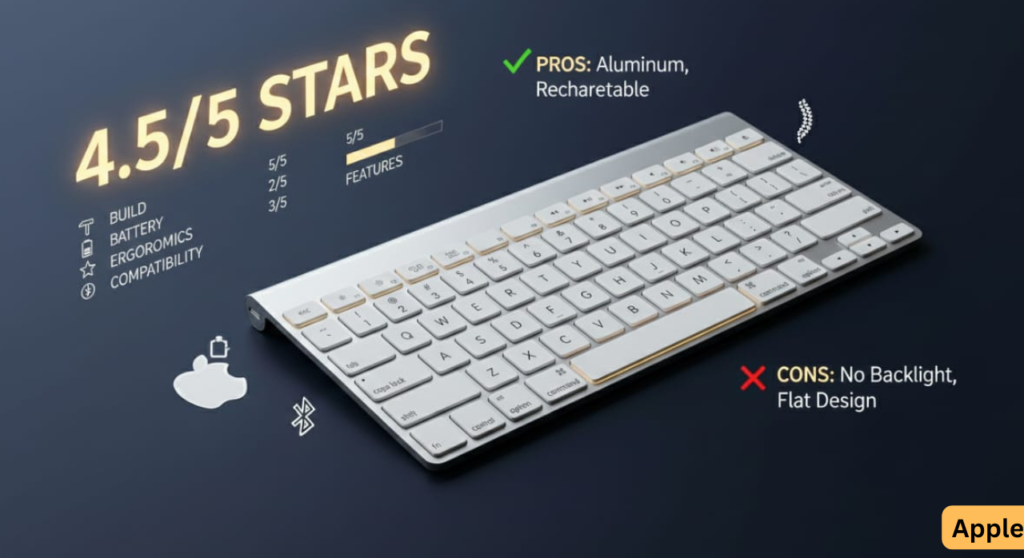
Rating: 4.5/5
The Apple Wireless Magic Keyboard 2 excels at seamless Mac integration, exceptional battery life, and premium build quality. Typing speed improvements are genuine, and the scissor switches are reliable.
However, the lack of backlighting remains a significant limitation for many users, flat ergonomics can cause discomfort during extended typing, and refurbished quality is inconsistent.
Best Use Case
Mac-only users who type during daylight hours and can find a pristine refurbished Apple Wireless Magic Keyboard 2 for $40-50.
Upgrade Paths
Need backlighting/multi-device? → Logitech K800 wireless ($60) or Logitech MX Keys Mini ($99)
Want Touch ID/USB-C? → Apple Magic Keyboard 3 ($149)
Need ergonomic comfort? → Logitech K350 wave keyboard ($30)
Rating Breakdown
- Build Quality: 5/5
- Typing Feel: 4/5
- Battery Life: 5/5
- Features: 2/5
- Ergonomics: 2/5
- Value at $40-50: 4/5
Related Keyboard Reviews & Resources
Wireless Mac-Compatible Keyboards
- Logitech K800 Illuminated Wireless Review — Backlit rechargeable
- Logitech K750 Solar Keyboard Review — Solar-powered wireless
- Logitech K350 Wireless Wave Review — Ergonomic comfort
Mechanical Keyboard Alternatives
- Cherry KW X ULP Ultra Slim Review — Low-profile mechanical
- Evoworks Evo80 Review — Hot-swappable TKL
- ZH870 Keyboard Review — Budget mechanical gasket mount
Gaming Keyboard Alternatives
- Logitech G213 Review — Budget gaming membrane
- Corsair K55 RGB Review — RGB membrane gaming
- Corsair K63 Wireless Review — Wireless TKL gaming
- Corsair K65 Series Review — Compact mechanical
- Corsair K95 Review — Full-size gaming
- Corsair K100 Review — Premium flagship
External Resources
- Apple Magic Keyboard Support — Official specifications
- macOS Sequoia Compatibility — System requirements
- Apple Community Forums — User discussions
Legal Disclaimer:
This article aggregates user-reported issues and publicly available information about the Apple Wireless Magic Keyboard 2. The content is provided for informational purposes only and does not represent the views or official stance of Apple or any retailer. We do not claim that the described defects or failures affect all units, nor do we guarantee the accuracy of individual user reports. Readers should verify information independently and consult the manufacturer or authorized service providers for official guidance. This site is not liable for any decisions made based on the content provided herein.