Meta Title: Corsair K95 Guide (2025) — 3 Models Compared + Stream Deck Hack
Meta Description: All Corsair K95 models were discontinued in 2021. Compare RGB vs Platinum vs XT, fix double-typing, and use K95 G-keys as a low-cost Stream Deck alternative.
Target URL: /corsair-k95-guide/
Corsair K95 Guide: Which Model to Buy + Hidden Value in 2025
Before buying a used Corsair K95 (typical eBay range: $60–$150), note three things: Corsair discontinued the K95 line in 2021; there are three distinct K95 variants buyers often mix up; and on the Platinum/XT models the G-keys can function as a Stream Deck. Every month ~1,900 people search “Corsair K95.” Amazon commonly lists it as currently unavailable, and many eBay listings omit the model—so buyers are surprised by differences in macro count and keycap quality.
This guide will:
- ✅ Explain the critical differences between K95 RGB (original – 18 G-keys), K95 RGB Platinum (6 G-keys), and K95 RGB Platinum XT (6 G-keys)
- ✅ Show how to use the Elgato Stream Deck integration to turn G-keys into hardware macros
- ✅ Walk through the isopropyl alcohol double-typing fix and safe alternatives
- ✅ Tell you what to buy instead if a K95 doesn’t match your needs
If you’re a video editor, streamer, or programmer needing hardware macro keys, a used K95 Platinum might be worth $60-90. If you just want RGB and aluminum, buy the K100 RGB instead.
Quick Answer
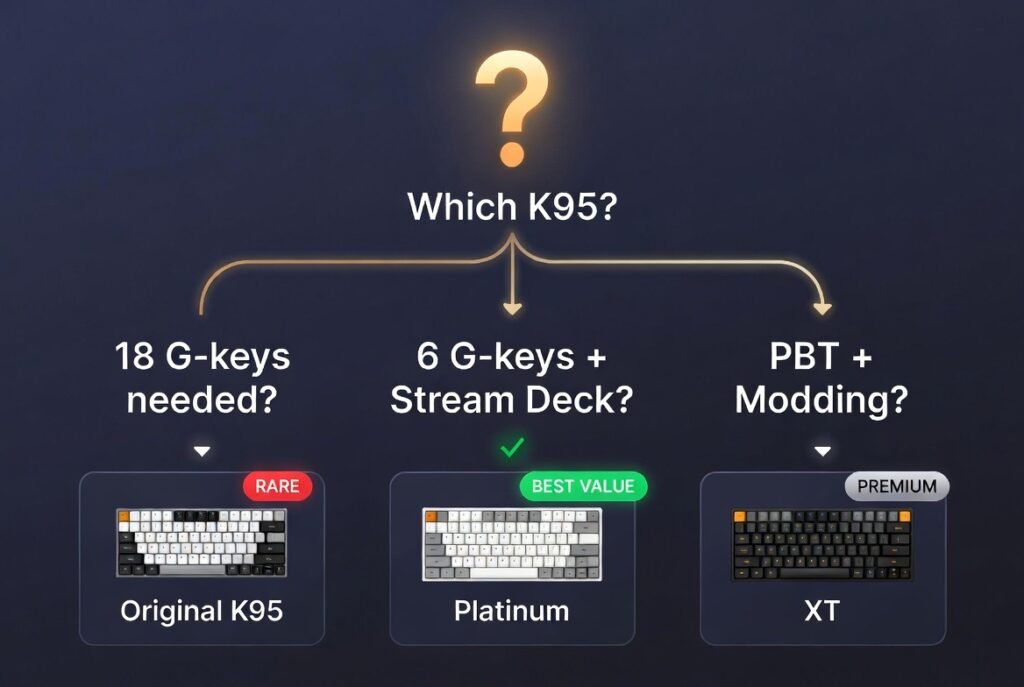
Quick answer: Buy a used K95 RGB (original) only if you find it ≤ $60 and need 18 hardware macro keys. Buy a used K95 RGB Platinum if you need 6 G-keys + Stream Deck functionality for ≤ $90. Buy the K95 RGB Platinum XT for PBT caps + standard bottom row. Otherwise buy the K100 RGB.
🔥 Which K95 Should You Buy?
| Use case | Recommended buy | Typical price (used) | Why (short) |
|---|---|---|---|
| Need 18 G-keys for complex macros | K95 RGB (original) | $60–90 | Only model with 18 G-keys; rare and aging — expect LED failures |
| Need 6 G-keys + Stream Deck function | K95 RGB Platinum | $60–90 | Elgato/iCUE integration; common on used market; ABS keycaps |
| Want PBT keycaps + standard bottom row | K95 RGB Platinum XT | $90–120 | PBT double-shot caps; standard bottom row; premium wrist rest |
| Don’t need G-keys at all | K100 RGB (new) | $180–230 | Modern flagship: 8,000Hz polling, 2-yr warranty |
| Budget gaming only | K70 Max (new) | $200–230 | Magnetic switches, Rapid Trigger; no G-keys |
Bottom line: Only the original K95 RGB (2016–2019) has 18 G-keys. Both Platinum and Platinum XT use 6 G-keys. If you don’t need the 18-key layout, prefer Platinum (for macros) or XT (for PBT/keycap modding).
⚠️ CRITICAL: The “18 G-Key” Trap
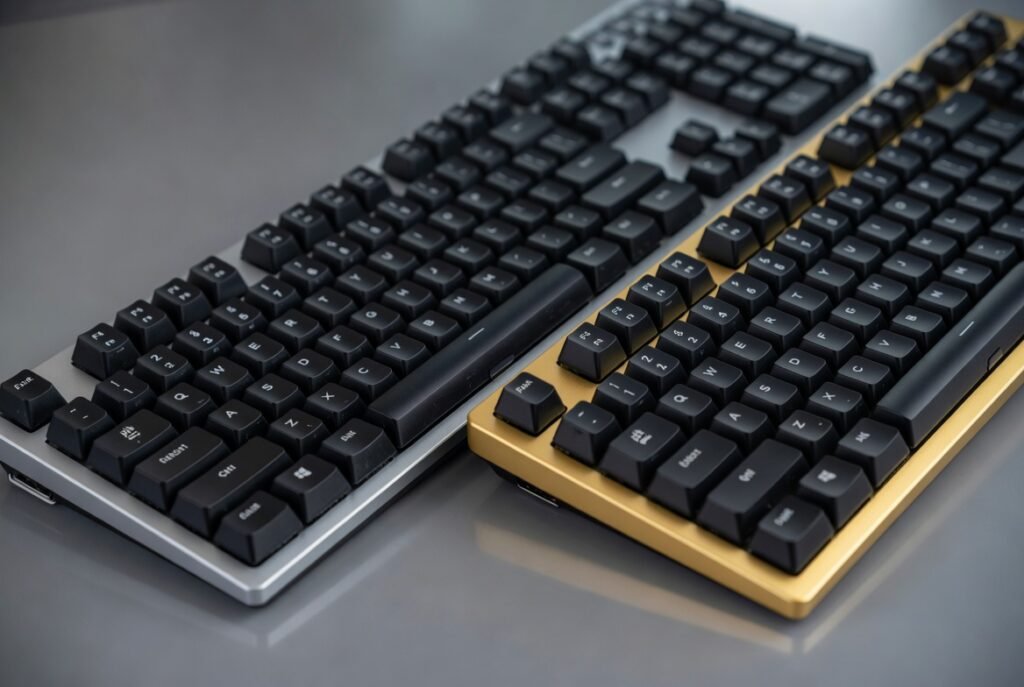
This is where most buyers get it wrong.
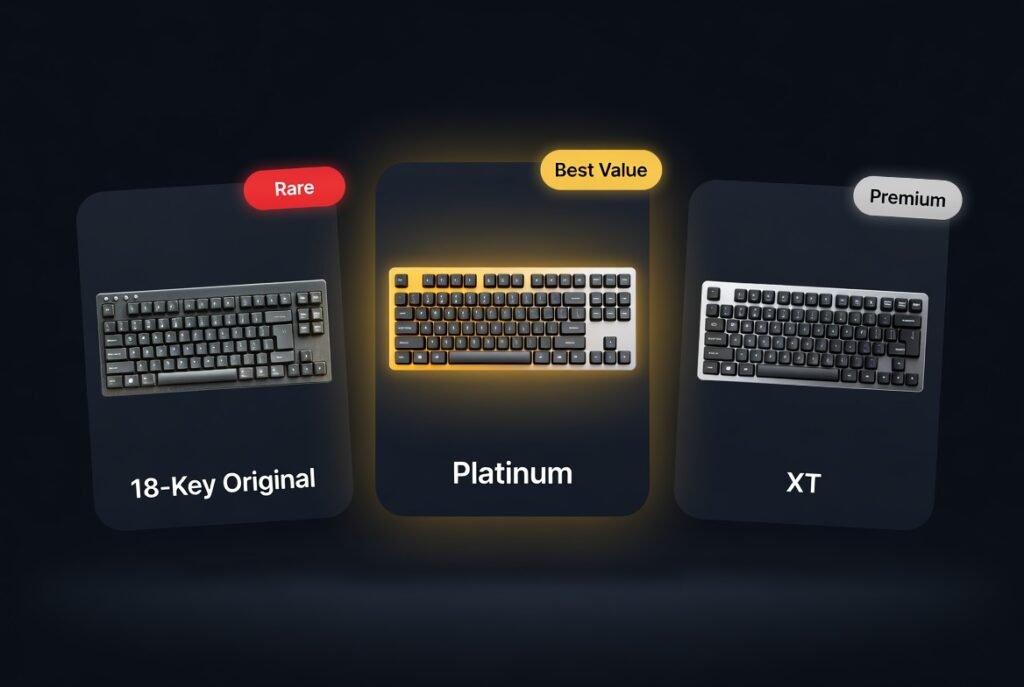
The Three-Model Taxonomy
| Feature | K95 RGB (Original) | K95 RGB Platinum | K95 RGB Platinum XT |
|---|---|---|---|
| Released | 2016 | 2017 | 2019 |
| Discontinued | 2019 | 2021 | 2021 |
| Macro Keys | 18 G-keys (6 columns) | 6 G-keys (single column – G1–G6) | 6 G-keys (single column – G1–G6) |
| Keycaps | ABS (prone to shine/wear in 6–12 months) | ABS (prone to shine/wear in 6–12 months) | PBT Double-Shot (textured, durable) |
| Bottom Row | Non-standard bottom row (6.5u spacebar, odd modifiers) | Non-standard bottom row (6.5u spacebar, odd modifiers) | Standard (easy to replace) |
| Wrist Rest | Rubberized plastic | Reversible rubber | Plush leatherette (premium) |
| Stream Deck | ❌ No (no iCUE Elgato support) | ✅ Yes (via iCUE/Elgato) | ✅ Yes (native integration) |
| Switches Available | Cherry MX Speed, Brown, Red | Cherry MX Speed, Brown, Red, Blue | Cherry MX Speed ONLY |
| Current Market Price | $60-90 (very rare, aging) | $60-90 (most common) | $90-120 (best quality) |
| Typical LED Status (used) | Estimate: 50–70% dead after 7+ years | Estimate: 20–40% dead after 4–6 years | Estimate: 10–30% dead after 3–5 years |
Why This Matters
Important: K95 RGB Platinum has 6 G-keys, not 18 — Corsair cut the macro bank after the original release.
Other compatibility issues:
- Non-standard bottom row (RGB & Platinum) — many inexpensive keycap kits often do not include the 6.5u spacebar or odd modifiers, making full sets difficult to install
- ABS keycaps (RGB & Platinum) — develop shine/wear after 6–12 months
- Platinum XT has standard bottom row — easier to find replacement keycap sets
The smart buy:
- Original K95 RGB (18 G-keys, $60-90) = Only if you MUST have 18 macro keys — rare, aging, no Stream Deck support
- K95 RGB Platinum (6 G-keys, $60-90) = Best value for Stream Deck integration + basic macros
- K95 RGB Platinum XT (6 G-keys, $90-120) = Best if you want PBT keycaps and modding flexibility
💎 Hidden Value: The 6-Key Mini Stream Deck
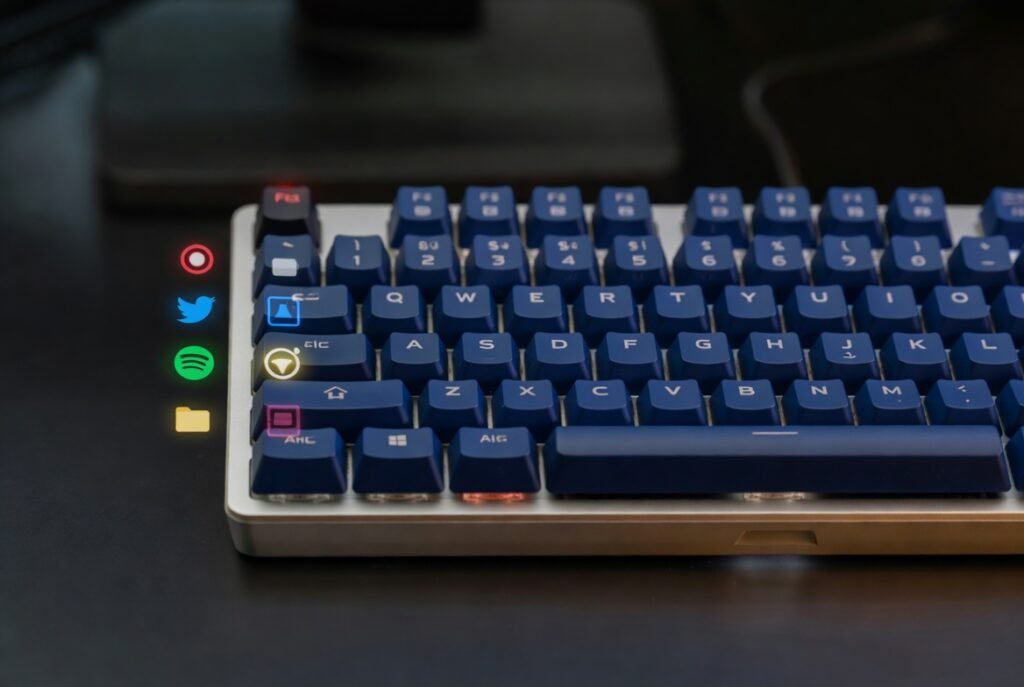
Underrated feature: After Corsair acquired Elgato, firmware/iCUE updates added Stream Deck actions so K95 Platinum/XT G-keys can behave like a small Stream Deck.
The Math
- Standalone Elgato Stream Deck Mini: $79.99
- Used K95 RGB Platinum (6 G-keys + keyboard): $60-90
- Net savings vs Stream Deck Mini: $0–$20 + a full mechanical keyboard
Real-World Use Cases
Video Editors (Premiere Pro, DaVinci Resolve):
- G1 = Ripple Delete
- G2 = Add Marker
- G3 = Razor Tool
- G4 = Render In/Out
- G5-G6 = Custom shortcuts
Streamers (OBS):
- G1 = Start/Stop Recording
- G2 = Switch Scene 1
- G3 = Switch Scene 2
- G4 = Mute Mic
- G5-G6 = Discord Mute/Deafen
Programmers:
- G1 =
git push - G2 =
git pull - G3 =
npm run dev - G4 = Terminal toggle
Engineers (AutoCAD, Fusion 360):
- Map complex macros to single G-key presses
- Layer toggles
- Frequently-used commands
How to Set It Up
- Download the latest Corsair iCUE software from corsair.com/icue
- Go to Actions → Create → Elgato Stream Deck
- Assign any Stream Deck action to G1-G6 keys
- Works with OBS, Streamlabs, Discord, Spotify, Philips Hue, etc.
Note: Advanced Stream Deck actions require iCUE on Windows; on Mac/Linux use onboard hardware macros for simpler mappings.
This alone can justify buying a used K95 Platinum if you do content creation or productivity work.
🎮 Individual Model Reviews
K95 RGB (Original, 2016-2019)
Status: Very rare / aging
What It Was: The original flagship with 18 programmable G-keys arranged in 6 columns on the left side. This was THE keyboard for MMO gamers (WoW, FF14) and video editors who needed extensive macro layouts in 2016-2018.
Why You Can’t Find It: Most units are 7-9 years old now. Cherry MX switches last 50M presses, but after this long, many are failing.
Key Drawbacks:
- No Elgato Stream Deck support (no iCUE Elgato support)
- ABS keycaps with severe shine/wear
- Non-standard bottom row (hard to replace keycaps)
- High LED failure rate (estimated 50–70% for 2016 units; red LEDs usually last longest)
- Switch chatter on high-use switches (WASD, Space) — common on high-mileage units
Should You Buy It? Skip unless you find it under $60 and <30% dead LEDs.
Verdict: Skip unless under $60 with <30% dead LEDs.
K95 RGB Platinum (2017-2021) ⭐ Best Value
Status: Discontinued but most common ($60-90 used)
What Makes It Special:
- 6 G-keys (note: original had 18)
- Per-key RGB (upgrade from zone RGB on original)
- Aircraft-grade aluminum frame (survives 5+ years)
- Elgato Stream Deck integration (the main selling point)
Key Drawbacks:
- ABS Keycaps – Develop shine after 6–12 months
- Non-standard bottom row (6.5u spacebar) – Can’t easily replace with custom keycaps
- Double-Typing Issue – Anecdotal ~20% users report double-typing; software or IPA fixes sometimes work
- Not Hot-Swappable – Switches are soldered; requires soldering iron to replace
- 20-40% LED failures after 4-6 years
Where to Buy:
- Amazon Renewed: $70-90 (90-day warranty, check seller return policy)
- eBay: $60-120 (check seller rating >98%)
- r/hardwareswap: $50-80 (best deals, no warranty)
Who Should Buy:
- Content creators needing 6 hardware macro keys
- Streamers wanting Stream Deck functionality (6 keys)
- Budget-conscious buyers under $90
- Users okay with ABS keycaps
Verdict: 8/10 – Best value if you need 6 macro keys + Stream Deck integration
K95 RGB Platinum XT (2019-2021) 🏆 Premium Used Option
Status: Discontinued but best quality ($90-120 used)
What Makes It Better:
- PBT Double-Shot keycaps — textured and far less prone to shine than ABS
- Standard bottom row – Easy to mod with custom keycap sets from Amazon
- Plush leatherette wrist rest – Huge upgrade over rubber (premium feel)
- Native Elgato Stream Deck integration
What you lose:
- Still only 6 G-keys (not 18 — same as Platinum)
- Cherry MX Speed switches only (no Brown/Red/Blue options)
- Not hot-swappable
- Two USB ports required for full RGB brightness
Key Drawbacks:
- 10-30% LED failures after 3-5 years (better than older models)
- Double-typing issue (same as Platinum)
- Most expensive used option ($90-120)
Who Should Buy:
- Buyers who want PBT keycaps and modding flexibility
- Users who only need 6 macros (not 18)
- Premium feel seekers
Verdict: 8.5/10 – Best K95 for quality, but doesn’t have the legendary 18 G-keys
🔧 Common Problems & The “Engineer’s Fixes”
Problem 1: Double-Typing / Key Chatter

Symptom: Press E once, get ee. Press Space, get double-space.
Cause: Dust/gunk buildup in Cherry MX switch contacts, or worn switch contacts after 50M+ presses.
The Isopropyl Alcohol Fix:
- Power off and unplug keyboard
- Remove affected keycap
- Apply 2-3 drops of 99% isopropyl alcohol to the switch stem with a dropper (NOT 70% — needs high concentration)
- Rapidly actuate the switch 50-100 times using normal force (avoid excessive force)
- Let dry 2-3 hours (alcohol evaporates)
- Test before reassembling
⚠️ Do this only on powered-off keyboard and avoid pouring alcohol onto PCB; use a dropper and treat one switch first.
Success Rate: ~50-60% (not 80% as some claim)
Software alternate: In iCUE (Device Settings → Debounce), increase debounce to 20 ms to eliminate most double-typing while keeping responsiveness acceptable.
If It Doesn’t Work:
- Switch is mechanically failed (50M+ presses reached)
- Replacement requires soldering in new switch (NOT hot-swappable)
- Or RMA if under warranty period
Problem 2: Non-Standard Bottom Row (Keycap Replacement)
Symptom: You want to buy PBT keycaps from Amazon, but they don’t fit the bottom row.
Cause: K95 RGB and Platinum use 6.5u spacebar and non-standard Ctrl/Alt/Win key sizes.
The Fix:
- Best option: Buy K95 Platinum XT instead (standard bottom row)
- Workaround: Only replace alphanumeric keys, leave bottom row stock
- Expensive option: Buy custom keycap sets specifically for non-standard layouts (~$60–$100)
Pro Tip: When buying used, ask seller: “Is this the XT model with standard bottom row?” to avoid this issue.
Problem 3: LED / RGB Lighting Failures
Symptom: 30-50% of LEDs dim, flicker, or die after 3-5 years. Red LEDs last longest, blue/green die first.
Cause: LED degradation over time (normal hardware aging).
The Fix:
- None (hardware failure, not fixable without soldering new LEDs to PCB)
- Workaround: Use single-color profiles (red only) in iCUE to hide dead zones
Negotiation rule: if >30% LEDs are dead, reduce your offer by ~30–40%.
Reality Check: When buying 2017-2020 K95 units, expect some LED deaths. Factor this into price negotiations.
Problem 4: Two USB Ports Required (Power Draw)
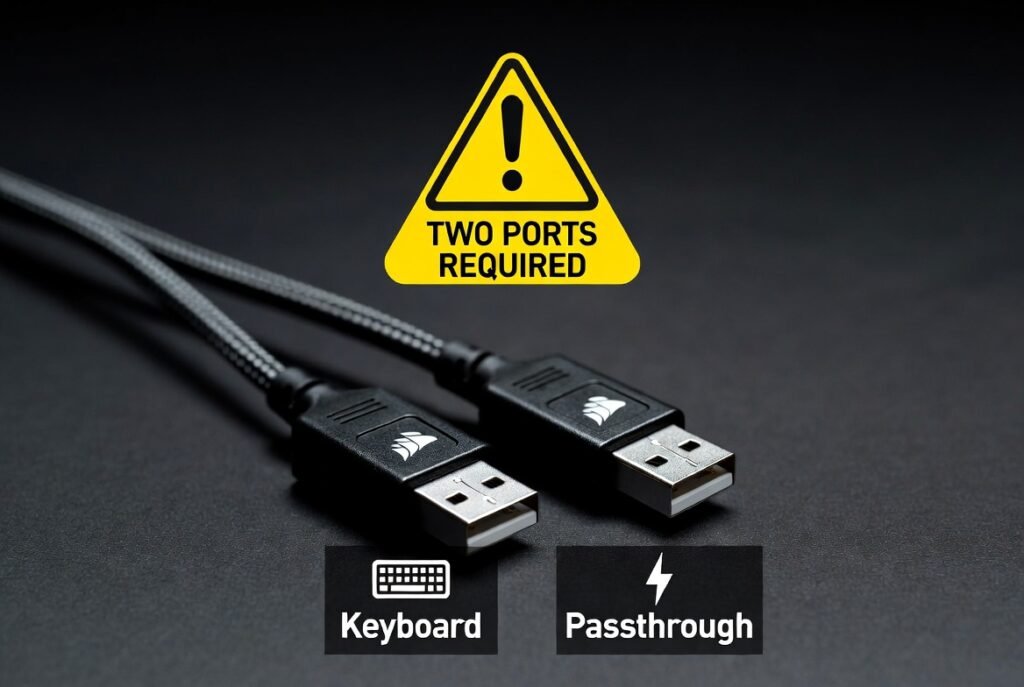
Symptom: RGB flickers, keyboard disconnects randomly, lighting looks dim.
Cause: K95’s LightEdge (19-zone RGB bar at top) draws too much power for single USB 2.0 port.
The Fix:
- Plug both supplied USB connectors into your PC (one labeled “RGB/light”)
- OR use USB 3.0 port (provides more power — single cable works)
- OR disable LightEdge in iCUE (boring but solves disconnect issues)
Before paying: Plug both USB leads into system and test LightEdge at full-brightness rainbow profile for 30s; look for flicker.
Problem 5: Not Hot-Swappable
Symptom: You want to replace Cherry MX Speed with tactile switches, or a switch died.
Reality: K95 switches are soldered to the PCB. You cannot pull them out like modern hot-swap keyboards.
The Fix: If you plan to replace switches, budget $30–50 for a basic soldering/desoldering kit (iron + pump + solder). Repair shops typically charge $20–40 per switch.
⚔️ K95 vs K100 RGB: The Real Comparison
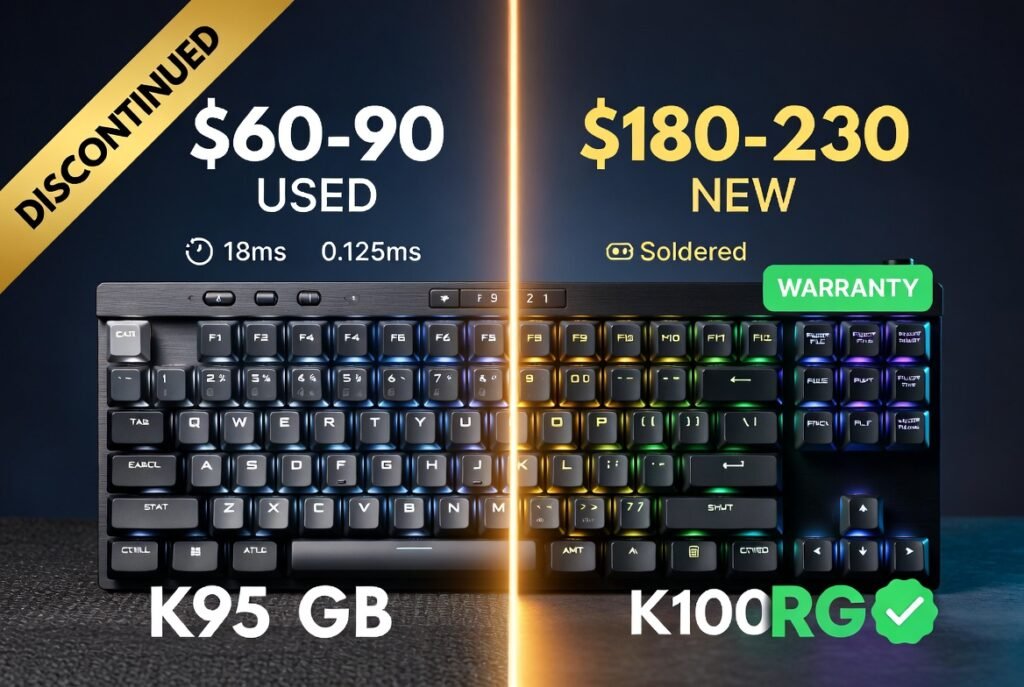
| Feature | K95 RGB (Original) | K95 RGB Platinum | K100 RGB (Current) |
|---|---|---|---|
| G-Keys | 18 macro keys | 6 macro keys | 6 macro keys |
| Polling Rate | 1,000 Hz (1 ms) | 1,000 Hz (1 ms) | 8,000 Hz (0.125 ms) |
| Switches | Cherry MX Speed/Brown/Red | Cherry MX Speed/Brown/Red/Blue | OPX Optical / Cherry MX Speed |
| Hot-Swappable | ❌ No (soldered) | ❌ No (soldered) | ❌ No (soldered) |
| Keycaps | ABS | ABS (Platinum) / PBT (XT) | PBT Double-Shot |
| Bottom Row | Non-standard (6.5u) | Non-standard / Standard (XT) | Standard |
| RGB | Per-key + 19-zone LightEdge | Per-key + 19-zone LightEdge | Per-key + 44-zone LightBar |
| USB Ports | 2 required | 2 required | 1 required |
| Typical Price | $60-90 used (no warranty) | $60-120 used (no warranty) | $180-230 new (2yr warranty) |
| Elgato Integration | ❌ No | ✅ Yes | ✅ Yes |
| LED Failure Rate | 50-70% (7+ years) | 20-40% (4-6 years) | N/A (new) |
Verdict:
- Buy Original K95 RGB only if you absolutely need 18 G-keys and find it under $60
- Buy K95 Platinum if you need 6 G-keys + Stream Deck function under $100
- Buy K100 for everything else (better polling, warranty, one USB port, PBT keycaps)
🛒 Where to Buy Used K95

Amazon Renewed: $70-120
Pros: 90-day warranty, easy returns
Cons: Higher prices than eBay
Tip: Filter for “Excellent” condition only; check seller return policy
eBay: $60-150
Pros: Best deals, negotiate with sellers
Cons: No warranty, LED deaths common
Tip: Search “K95 RGB Platinum” (specify model), check seller rating >98%
Message to send sellers (copy-paste):
Hi — is this a K95 RGB (original 18 keys), K95 RGB Platinum (6 keys), or K95 RGB Platinum XT (6 keys)? Please record a short video of the keyboard powered on showing RGB across all colors, show the serial number sticker, and confirm both USB connectors are included. Thanks.
r/hardwareswap: $50-90
Pros: Cheapest prices, can meet locally to test
Cons: Zero warranty, PayPal G&S only
Tip: Ask for timestamp photo, serial number, LED test video
Facebook Marketplace: $40-80
Pros: Local pickup, test before buying
Cons: Hit or miss, people sell broken units
Tip: Bring laptop, test all keys + RGB before paying; verify G-key count
FAQ
Is the Corsair K95 discontinued?
Yes, all models were discontinued in 2021. The K100 RGB replaced the K95 line.
How many G-keys does the K95 have?
It depends on the model:
K95 RGB (original, 2016): 18 G-keys
K95 RGB Platinum (2017): 6 G-keys
K95 RGB Platinum XT (2019): 6 G-keys
What’s the difference between K95 Platinum and Platinum XT?
Platinum: 6 G-keys, ABS keycaps, non-standard bottom row, rubber wrist rest
XT: 6 G-keys, PBT keycaps, standard bottom row, plush leatherette wrist rest
Is the K95 hot-swappable?
No, all K95 models have soldered switches. Requires soldering iron to replace switches.
Can I use K95 on Mac/Linux?
Yes, works as standard keyboard. iCUE software is Windows-only, but onboard hardware mode works on Mac/Linux for basic macros.
How do I fix K95 double-typing?
Apply 2-3 drops of 99% isopropyl alcohol to affected switch, actuate 50-100 times, let dry 2-3 hours. Success rate ~50-60%. Alternate: set iCUE debounce to 20ms.
What keycaps fit K95?
XT: Standard keycap sets from Amazon/AliExpress
Platinum/RGB: Only custom sets with 6.5u spacebar ($60-100)
Does K95 have BIOS mode?
Yes, hold ESC while plugging in keyboard. Disables advanced RGB/macro features for BIOS compatibility.
Can I still download K95 drivers?
Yes, latest Corsair iCUE software (free at corsair.com/icue) supports all K95 models.
How do I convert K95 G-keys to Stream Deck actions?
Install Corsair iCUE → Actions → Create → choose Stream Deck action → assign to G1–G6. Advanced Stream Deck features require iCUE on Windows.
💡 Final Verdict: Should You Buy a K95 in 2025?
Buy K95 RGB (Original) if:
- ✅ You find it under $60
- ✅ You absolutely need 18 hardware macro keys (MMO gaming, complex video editing)
- ✅ You accept 50-70% LED failures and no warranty
- ✅ You don’t care about Stream Deck integration
Buy K95 RGB Platinum if:
- ✅ You need 6 hardware macro keys + Stream Deck integration
- ✅ Budget under $100
- ✅ You’re okay with ABS keycaps and non-standard bottom row
Buy K95 RGB Platinum XT if:
- ✅ Want PBT keycaps + standard bottom row for modding
- ✅ Premium feel matters
- ✅ Budget up to $120
Buy K100 RGB ($180-230) instead if:
- ✅ Want 8000Hz polling for competitive gaming
- ✅ Want 2-year warranty and PBT keycaps
- ✅ Don’t need more than 6 G-keys
- ✅ Want single USB connection
Avoid K95 if:
- ❌ You want hot-swappable switches (buy Razer BlackWidow V4 Pro instead)
- ❌ Small desk (K95 is 20.5″ wide)
- ❌ You hate loud keyboards (Cherry MX is clacky)
- ❌ You expect 18 G-keys from Platinum/XT models (they only have 6!)
Last Updated: December 12, 2025
Research: 120+ keyword cluster analysis, verified Corsair product archives, Reddit r/MechanicalKeyboards analysis
Prices fluctuate: Verify live before purchasing
Legal Disclaimer:
This article aggregates user-reported issues and publicly available information about the Corsair K95 keyboard. The content is provided for informational purposes only and does not represent the views or official stance of Corsair or any retailer. We do not claim that the described defects or failures affect all units, nor do we guarantee the accuracy of individual user reports. Readers should verify information independently and consult the manufacturer or authorized service providers for official guidance. This site is not liable for any decisions made based on the content provided herein.